
Back to Blogs
Drew Neisser is the founder of CMO Huddles and a globally recognized authority on B2B marketing. He’s an AdAge columnist, LinkedIn TopVoice, leading CMO coach, podcast host & friend of penguins everywhere.
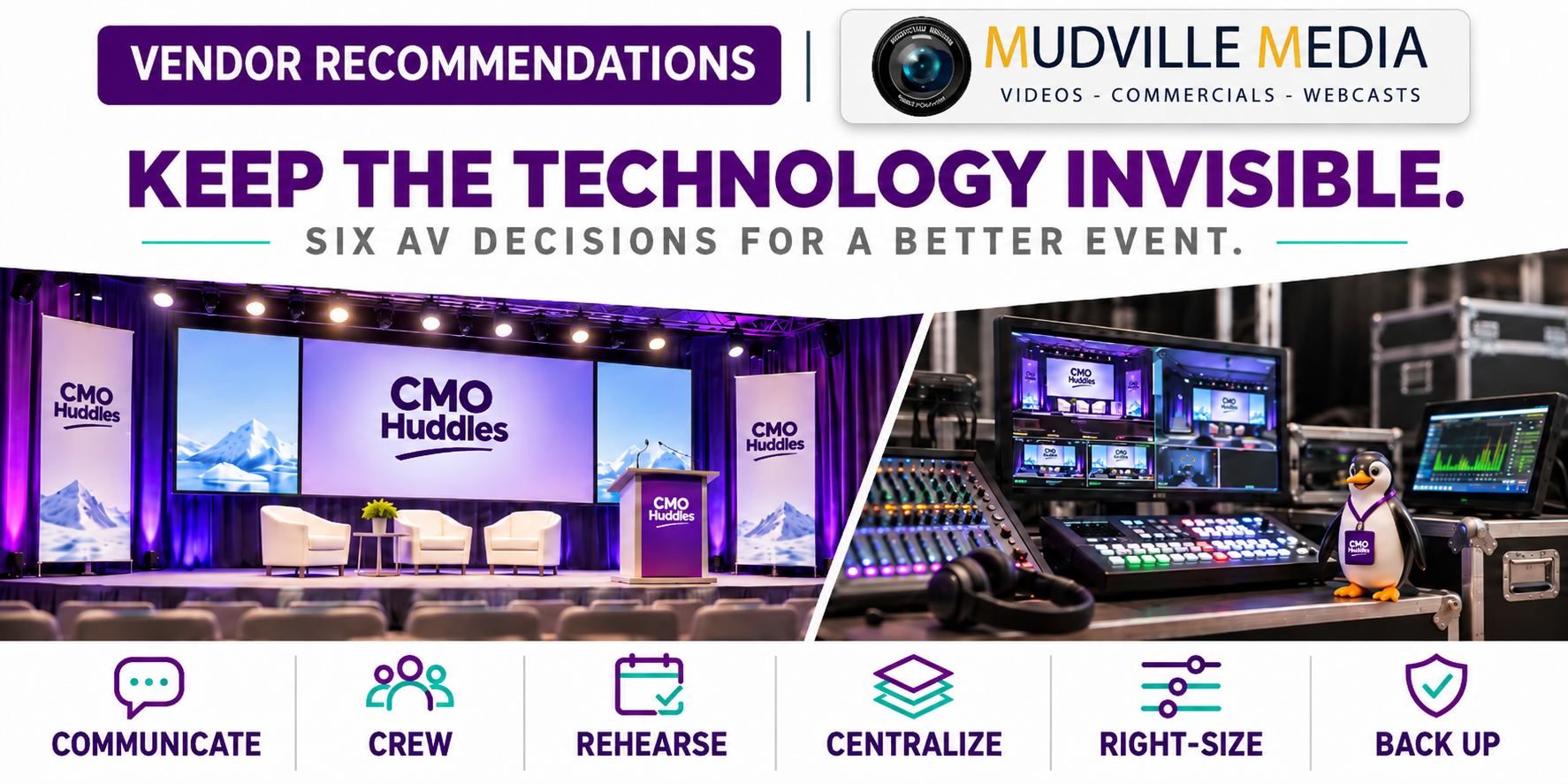
Great event technology should make speakers more confident, content more compelling, and the audience more engaged without calling attention to itself. After producing two CMO Super Huddles with Craig Vincent and Mudville Media, Drew Neisser shares six event-production decisions that helped turn a solid vendor relationship into a trusted partnership and made the 2026 event run substantially better than the year before.
We have all been at conferences where the microphone cuts out, feedback interrupts a speaker, slides refuse to load, or an AV technician has to walk onstage with replacement equipment. These moments rarely destroy an event, but they do break the spell. The audience stops thinking about the speaker's ideas and starts wondering whether the technology will cooperate.
The 2026 CMO Super Huddle felt different. The event included multiple formats, rapid transitions, videos, teleprompters, panel discussions, PechaKucha presentations, and plenty of last-minute changes. Yet the production ran so smoothly that I could focus on the speakers, the audience, and the clock rather than worrying about the next technical surprise.
Craig Vincent, owner of Mudville Media, deserves much of the credit. Mudville Media is a full-service corporate audio, visual, and video production company, and Craig served as the technical producer for our last two Super Huddles. His crew, particularly audio engineer Matt, was exceptional this year.
When the technology disappears, the experience comes forward.
This is also a story about the compounding value of a good partnership. Production improved substantially year over year because Craig understood our event better, we communicated more effectively, and both sides were committed to learning. Replacing a vendor after every imperfect moment can erase the knowledge and trust that make the next event better.
The first AV decision happens long before anyone selects a microphone or projector. The production partner needs to understand the audience, event format, desired energy, room constraints, and the experience the organizer is trying to create.
Craig identified communication as the most important reason this year's Super Huddle ran smoothly. “I had a really good sense of what you wanted out of the conference,” he explained. Some of that understanding came from producing the event the year before, but he placed equal weight on the weekly preproduction meetings and the steady exchange of information leading up to showtime.
That preparation meant Craig was not arriving onsite and trying to reverse-engineer the event from a run-of-show document. He knew why certain transitions mattered, where we needed flexibility, and which moments carried the most risk. His team could anticipate our needs rather than merely respond to instructions.
CMOs should therefore include the production lead early enough to shape the plan. Share the agenda, speaker formats, room layout, video requirements, sponsor obligations, recording needs, and anticipated last-minute changes. Explain what a successful event should feel like, not only what equipment needs to be in the room.
Most competent AV crews can place microphones, connect screens, and test presentation files. The difference becomes obvious when something unexpected happens in front of a live audience.
Craig made the case for specialized expertise through his decision to bring Matt onto the show. “It's not about the setup. It's not about having the microphones prepared. Anybody can do that,” he said. “It's about the instant reaction when something goes wrong.”
That reaction comes from years of experience. A great audio engineer hears a developing problem, identifies the likely source, and fixes it before most people in the room notice. An experienced video engineer knows when to troubleshoot and when to abandon a failed component in favor of a backup.
“Can this person fix it in a heartbeat?” Craig asked. That is the question marketers should use when evaluating production budgets. The most valuable technical talent is often the person whose best work the audience never sees.
You're not paying for someone to plug it in. You're paying for what happens when it stops working.
Craig named onsite preparation as the second place event organizers should resist cutting. The crew needs enough time to build the room, test every signal path, fix problems, and still leave space for speakers to rehearse.
“The amount of time that we have onsite to build and prep” directly affects the quality of the show, Craig explained. That time also allows presenters to become familiar with the stage, microphones, confidence monitors, teleprompter, and room layout before attendees arrive.
Rehearsal is especially important for executive speakers who may have excellent content but limited stage experience. A short walk-through can reveal whether a presenter moves away from the microphone, turns toward a screen, advances slides too quickly, or needs a different monitor position. It also reduces anxiety because the speaker has already experienced the physical environment.
Event organizers often compress setup and rehearsal to reduce venue and labor costs. The apparent savings can disappear quickly when technicians are still solving basic problems during the opening session or speakers struggle with unfamiliar equipment in front of the audience.
Few things create more avoidable risk than accepting presentation files in multiple formats on multiple devices. Craig has seen presenters approach the production table moments before speaking with a thumb drive or, worse, their personal laptop. The crew then has minutes to accommodate unfamiliar hardware, fonts, videos, connections, and display settings.
For the 2026 Super Huddle, we ran the complete conference through a centralized Google Slides workflow. Presenters could make approved changes without introducing a new computer or file format, while our team could review the deck and manage updates throughout the event.
Craig called the centralized system “a godsend” and “a lifesaver.” As he explained, “Having all of the presentations and all of the slides and everything in one central place that can be updated throughout the day remotely” eliminated the need to jump among PowerPoint, PDFs, videos, audio files, and personal devices.
The approach was not completely automatic. We learned that Craig needed to refresh the deck before certain updates appeared on his production computer. That small lesson is exactly why a shared workflow still requires clear version control, an update protocol, and a person responsible for confirming changes.
I used Codex to help manage many late additions and revisions in Google Slides, which made the centralized approach even more valuable. AI helped us update the content, while the production workflow ensured those updates reached the screens without creating chaos at the control table.
AV equipment consumes physical space, and that space comes directly out of the attendee experience. Large projectors, camera platforms, tripods, and operator stations can force organizers to remove seats, block sightlines, and create barriers inside an intimate room.
Craig used ultra-short-throw projectors that could sit close to the screens, substantially reducing their footprint. He also deployed PTZ cameras, which can pan, tilt, and zoom remotely. In a compact venue without room for full camera platforms, Craig could place two cameras on a stand occupying roughly four square feet and still capture multiple angles.
“When we invested in those projectors, it really changed the shape of the rooms,” Craig said. The room layout no longer had to revolve around traditional projector placement, which gave us more freedom to create the close, energetic environment that makes the Super Huddle feel like a huddle.
Craig also developed a solution for capturing and editing our PechaKucha presentations, which combine tightly timed slides with live speakers. The final video needs clean images of both elements rather than footage of a presenter standing beside a projected screen. His real-time production approach preserved the slides and speaker as complementary visual sources.
Another unsolicited improvement was an electronic sign on the podium. We could change the message during the event, reinforce the session or brand, and brighten the stage without adding another cumbersome scenic element. It was a relatively small innovation that noticeably improved the room.
[Photo placement: Full-stage view showing the side signage, screens, and electronic podium.]
Live event technology will eventually fail. The production plan should assume that a charger, cable, computer, microphone, or switching component could stop working at the worst possible moment.
During this year's event, a laptop charger failed and the computer eventually exhausted its battery. Because the presentation lived in Google Slides, the team did not need to rebuild or reload the show from scratch. Craig has already identified the next improvement: duplicate the laptop so the crew can switch to a live backup with the push of a button.
His main video-switching system also includes a smaller backup switcher in the same production rack. If the primary unit fails, he can replace it and resume the show in about 10 minutes rather than spending an indefinite amount of time diagnosing a damaged component.
Redundancy also matters in recording. At one point, Craig heard an unexpected audio signal in the program feed while monitoring through headphones. The audience was unaffected, and the crew had isolated audio backups that could replace the affected recording in postproduction.
“It's knowing when to cut your losses, pull the plug, swap in another one, and get back up and running quickly,” Craig explained. Backups should cover the components most likely to interrupt the show and the recordings most difficult to recreate.
[Photo placement: Backstage view of Craig's production control panels, switching equipment, monitors, and backup systems.]
CMO Huddles chose to keep working with Craig after our first event together because his commitment to improvement was obvious. He wanted candid feedback, understood what had to change, and invested in the people and processes needed to make the next event better.
That decision paid off in spades. Craig and his team understood our expectations, anticipated problems, brought ideas we had not requested, and cared about the outcome as much as a partner should. Our trust also made it easier to discuss budgets, tradeoffs, and new approaches without turning every decision into a negotiation.
Long-term partners accumulate context. They learn how the organizer works, which details matter, how the audience behaves, where speakers need help, and what the brand should feel like in the room. The organizer learns how to communicate with the production team and where additional preparation will create the greatest return.
Trust is not a soft event benefit. It is operational infrastructure.
This does not mean overlooking recurring failures or accepting poor service. It means evaluating whether the partner has the skill, candor, curiosity, and commitment to improve. When those qualities are present, working through early challenges may produce far more value than starting from zero with a new vendor.
Before approving the production plan for your next executive event, ask:
If you find yourself without a strong event AV production company, I wholeheartedly recommend contacting Craig Vincent and Mudville Media. Craig has earned our trust, and we are looking forward to working with his team on two CMO Super Huddles next year.
CMO Huddles is also building a broader list of trusted event-production partners. If you have an AV company that has delivered exceptional work for your organization, please send us the recommendation. Great partners deserve to be found, especially when their best work is making sure the audience never has to think about the technology.
Bring the production lead into planning once the event format, venue, and initial agenda are taking shape. Early involvement helps identify room constraints, presentation risks, staffing needs, recording requirements, and realistic setup and rehearsal schedules before those decisions become expensive to change.
Prioritize experienced technical specialists and sufficient onsite setup and rehearsal time. Skilled crews can recover quickly from failures, while proper preparation prevents many problems from reaching the audience.
A centralized system reduces the risk created by multiple file formats, personal laptops, missing fonts, incompatible videos, and last-minute thumb drives. It also gives organizers and technicians a controlled method for reviewing and updating content.
Back up the components capable of stopping the show, including presentation computers, chargers, switching equipment, microphones, critical cables, and recorded audio. The crew should know how and when to move to each backup rather than developing the recovery process during the event.
PTZ cameras are remotely controlled cameras that can pan, tilt, and zoom. They provide multiple professional camera angles with a smaller physical footprint than conventional tripod and operator positions, making them especially useful in intimate or crowded venues.